
Scenes
Use Scenes to create, find, and maintain 3D scenes. Open a scene in the editor, start a new one from a splat, and keep the project list organized as it grows.
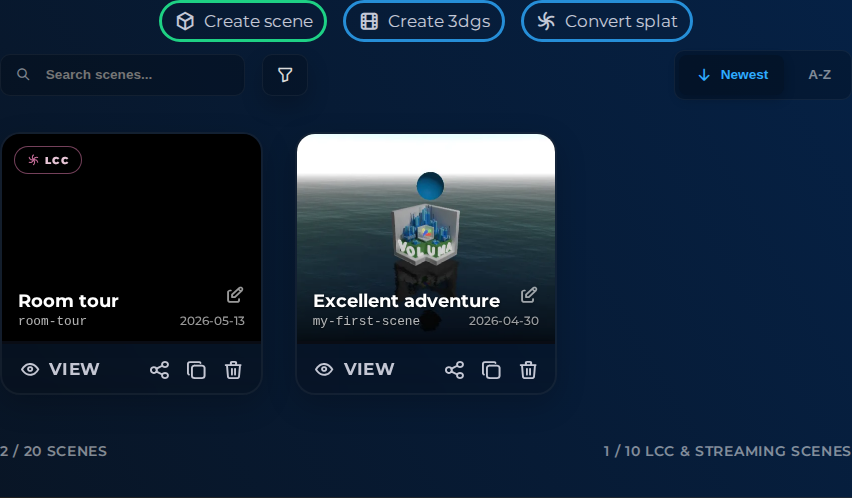
Interface elements
| Element | Details |
|---|---|
 | Create Scene Create a new scene in this project. |
 | Project Scenes Generate 3dgs Button Documentation for Project Scenes Generate 3dgs Button. |
 | Project Scenes Convert Splat Button Documentation for Project Scenes Convert Splat Button. |
 | Scene Summary Summary of scene usage and limits. |
 | Streaming Scene Summary Summary of streaming scene usage and limits. |
Documentation
Ways to manage your scenes:
- Create new 3D scenes based on your gaussian splat.
- Convert your gaussian splat to a streaming format
- Tag filters, including dynamic filters for favorites and streaming scene formats
- Search and sort your scenes, select a scene to open the editor
- Favorite a scene by pressing the star icon
- Clone a scene or remove stale scenes with confirmation
Note
Usage summaries showing current scene counts and project capacity limits, streaming scenes count towards the total number of scenes. See our subscription plans if you need to increase the number of streaming scenes