
Scene Browser
Use Scene Browser for scene-level work: review scene details, save or discard changes, and track drafts before publish.
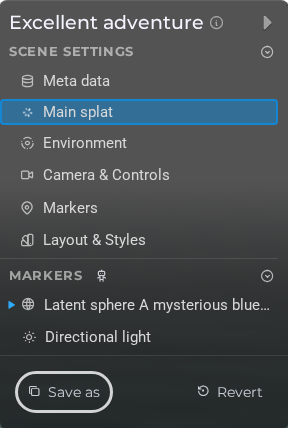
LCC viewer
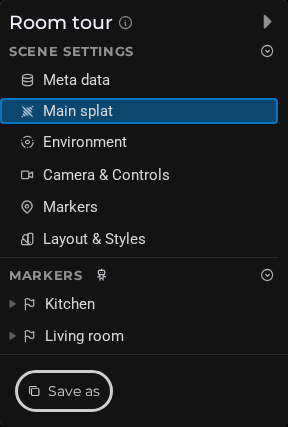 Steps: Expand scene settings section → Expand markers section
Related pages
Interface elements
| Element | Details |
|---|---|
 | Side Panel Toggle Collapse or expand the scene browser side panel to reveal additional section settings. |
 | Toggle Public Make the scene publicly accessible or restrict it to authorised viewers only. |
 | Toggle Imperial Units Switch distance and measurement display between metric and imperial units. |
 | Editor Scene Browser Splat Toggle Editor Hd Mode Documentation for Editor Scene Browser Splat Toggle Editor Hd Mode. |
 | Toggle Sky Shader Enable or disable the atmospheric sky shader that adds a gradient horizon to the scene. |
 | Toggle Ground Plane Show or hide the ground plane that serves as a floor surface below the scene. |
 | Toggle Water Shader Apply or remove the water surface shader on the ground plane to simulate a reflective water effect. |
 | Set Camera Here Save the current camera position and orientation as the default start view for this scene. |
 | Marker Select Mode Cycle through marker selection behaviours: Focus (fly to marker), Hide Others (hide all other markers), Hide Other Children (hide sibling markers), and Step Into (enter child markers). |
 | Toggle Camera Tween on Focus Enable or disable the animated camera transition when a marker is focused. When off, the camera jumps instantly to the marker position. |
 | Toggle Markers in Viewer Menu Show or hide the marker list in the viewer's navigation menu. |
 | Editor Scene Browser Markers Toggle Proximity Helpers Documentation for Editor Scene Browser Markers Toggle Proximity Helpers. |
 | Toggle Timeline Show or hide the marker timeline bar at the bottom of the viewer. |
 | Toggle Navigation Arrows Show or hide the previous/next navigation arrows that let viewers step through markers in order. |
 | Toggle marker Carousel Show or hide the marker carousel that displays a scrollable thumbnail strip of all markers in the viewer. |